Archive for the ·

CNC

· Category...

EMC2 simulator build on Ubuntu 11.10

5 comments

I thought I would build EMC2-simulator on 64-bit Ubuntu 11.10 following the instructions from the wiki. To get the source and dependencies:

$ git clone git://git.linuxcnc.org/git/emc2.git emc2-dev
$ cd emc2-dev
$ cd debian
$ ./configure sim
$ cd ..
$ dpkg-checkbuilddeps

Then install all the required packages with "sudo apt-get install". dpkg-checkbuilddeps suggests installing tk8.4 and tcl8.4 but I found that in ordet to get the configure-script to run without errors I needed tk8.5, tk8.5-dev, tcl8.5 and tcl8.5-dev, and I removed all the 8.4 packages of tk and tcl. That makes configure run without errors. Then try building:


$ cd src
$ ./autogen.sh
$ ./configure --enable-simulator
$ make

However that produces a number of linking errors. Don't ask me exactly why but this patch: 0001-changes-to-make-sim-build-on-ubuntu-11.10.patch.tar (updated corrected version!) seems to fix things, and I get emc2 sim built and running. Just in case anyone else wants to build on 64-bit Ubuntu 11.10.

Voronoi diagram algorithm animations

no comments

I've made some more progress with my voronoi diagram code. I described the topology-oriented incremental algorithm earlier here (point sites) and here (line segments). When we want to add a new site (a point or a line-segment) to the diagram we should find a tree of to-be-deleted vertices/edges (red), create new (green) vertices on all in-out edges, and hook up the new vertices with new edges (green) to form the face for the new site. For point sites it looks like this(click thumbnail to see GIF animation!):

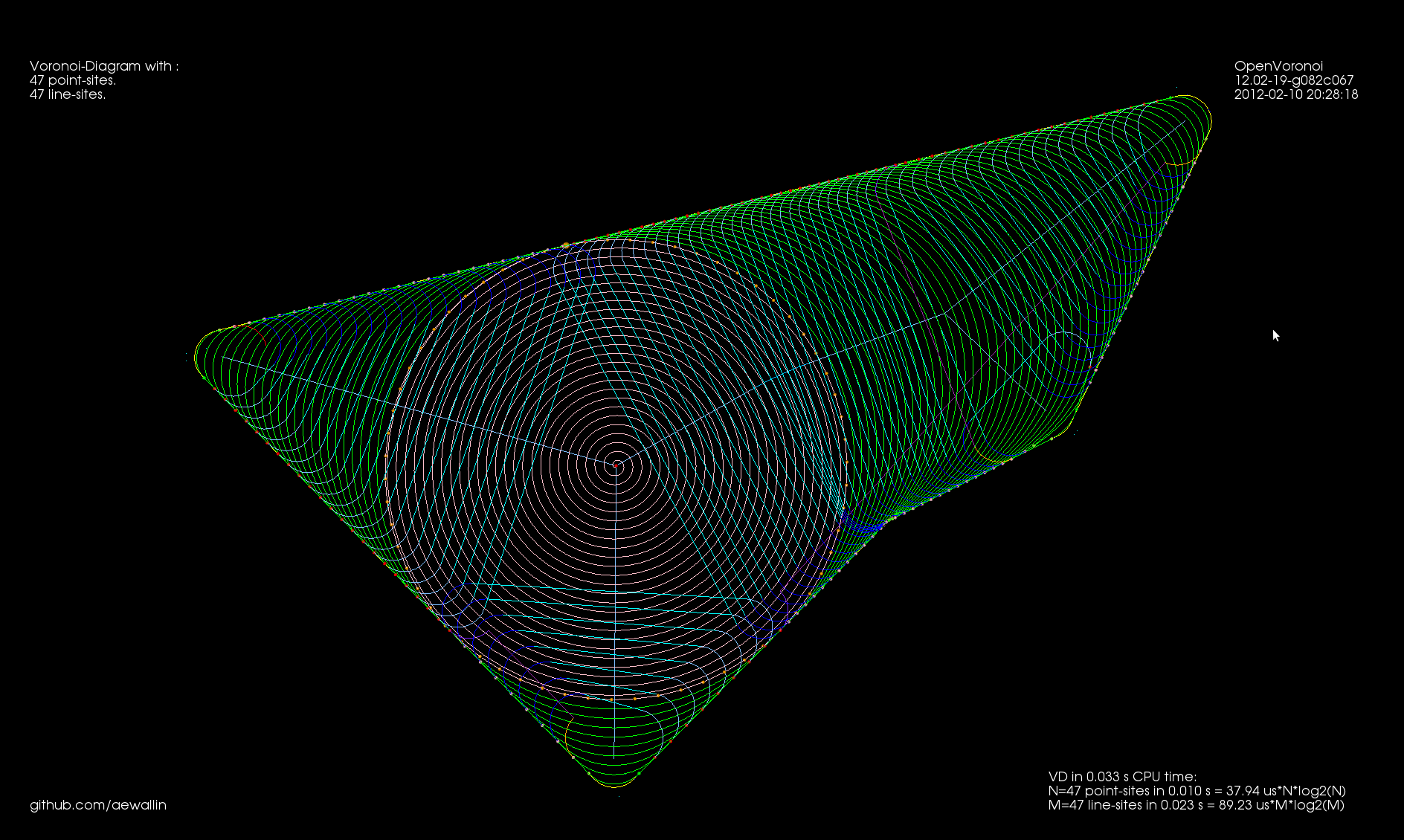
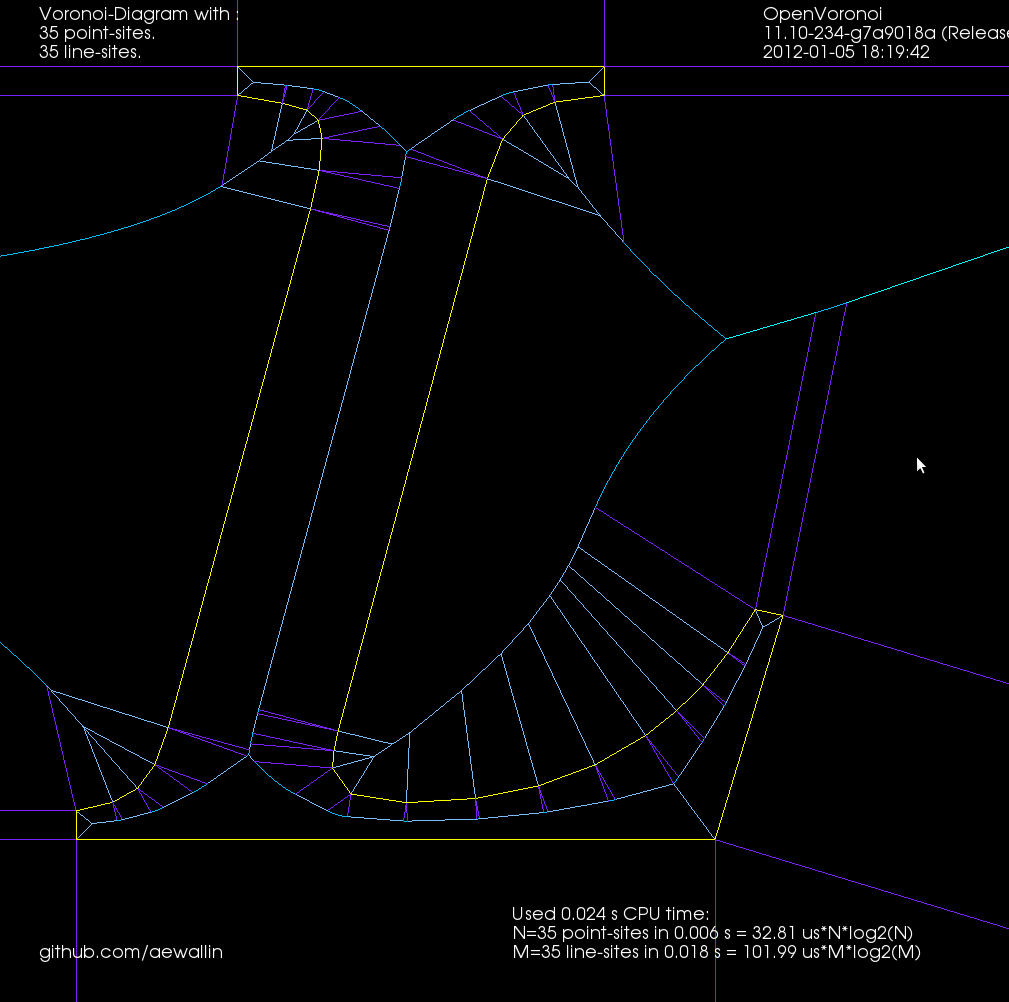
For line-segment sites we need to modify the in_circle() predicate to calculate the minimum distance from a point to a line-segment. Then we need a much more involved solver that figures out points that are equidistant from points/lines. There are four different cases: point/point/point, point/point/line, point/line/line, and line/line/line (or you could identify a fifth and sixth type of vertex if you treat the case where one vertex is a line-segment endpoint differently, see drawing here).

In addition to simple line-edges between two point-sites we now also get two new types of edges: between line/line sites we have line-edges (but parametrized a little differently), and between point/line sites we have parabolic edges. The basic algorithm however looks pretty similar: we again find the delete-tree (red), create new vertices (green), and hook them up with new edges (green) to form a new face. (again click thumbnail to see GIF animation!).

There are (at least!) two more complications arising with line-sites that don't show up with just point-sites. These are handled with additional APEX and SPLIT vertices, which don't really add new geometry or topology to the diagram, they just make the algorithm handle certain special cases correctly.

It turns out that with parabolic edges there can be cases where both endpoints of the edge are marked IN (red, or to-be-deleted), but some parts of the edge still needs to be preserved. To handle this case correctly we insert a new type of APEX vertex at the apex of each parabolic edge. These APEX vertices can be seen at the tip of each parabola in the GIF-animation above.

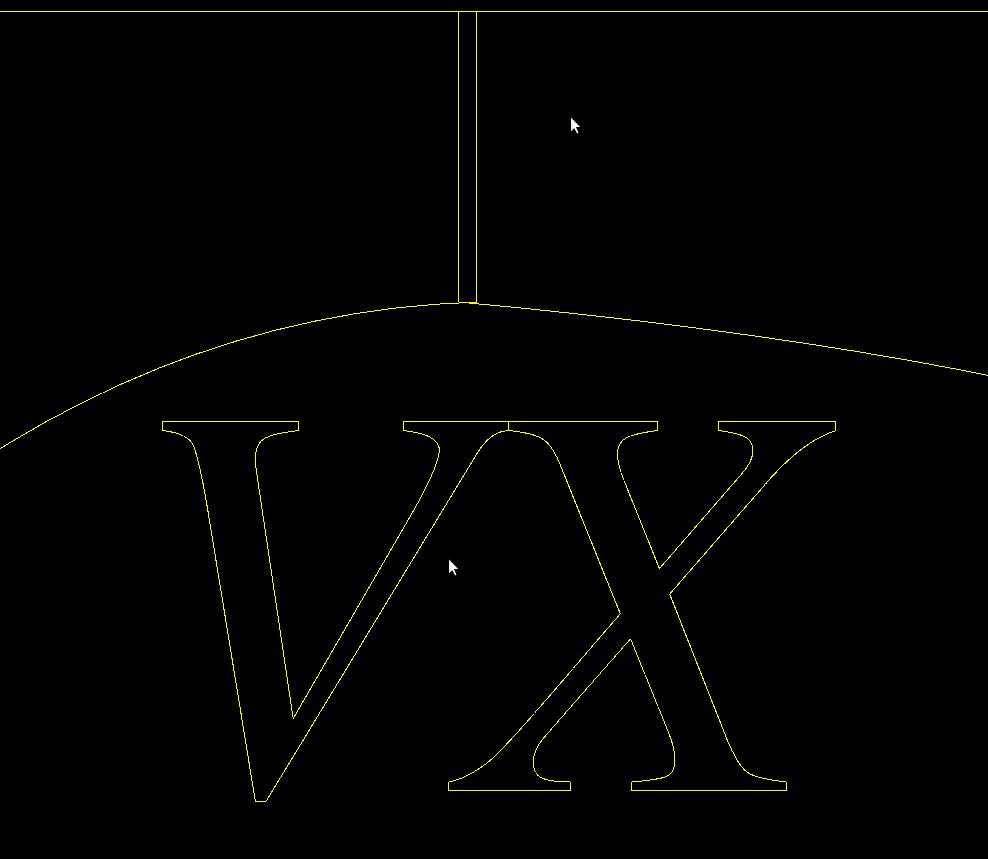
The second special case is more subtle. There can be situations where the algorithm finds a to-be-deleted set of vertices that contains a loop/cycle. This is obviously forbidden because that would delete a face from the graph - which isn't allowed. That's why we require the delete-set to be a tree. Here is an image:

We are inserting a new line-segment (yellow) starting at 48. The IN-vertices already found are colored red. Vertex 142 should be marked IN because it is closer to the new line-segment than to any other site. However that would create a loop of red vertices (134-135-143-148-142-138) and the face corresponding to the point-site 133 would be deleted. The problem is similar to that with APEX points: the end-points of edge 148-142 are both marked IN, but the edge should not be deleted completely. To handle this case we need to insert a SPLIT vertex at a position on the 148-142 edge which will be preserved(i.e. marked OUT). We do this by projecting the site 133 onto the edge 148-142 using the line-segment(yellow) as a mirror. This vertex will be marked OUT and ensures that the 148-142 edge is not completely removed. The same reasoning should work for circular arc-sites where we project radially through the center of the arc.

Here is a longer animation (best watched at 1080p/fullscreen!) which shows the insertion of 100 point-sites followed (after around 1:15) by insertion of (non-crossing!) line-segments:

The code now runs without errors until about 50 line-segments. There are problems with finding the proper end-points for separators in degenerate cases where the solver positions vertices on top of each other or very very close to each other.

Update: Some further bugfixes and filtering solution-points by both maximum and minimum t-value (clearance disk radius) has made the code run without assert()'s or problems up to N=100 line-segments:

Update2: now up to 200 line-sites:

Update3: Here is one case which I have identified as "hard" for the vd-vertex location solver code. We have as input to the solver a line-segment, one of its endpoints, and a third site (in this case also a line-segment). In some cases it happens that the offsets (dashed lines) of these three input sites are nearly parallel, which results in bad numerical precision, and the resulting solution can have an error which is as much as 1e9 times the normal errors I see.

Line-segment vd animation

no comments

This shows the voronoi-diagram of a single line-segment together with an increasing number of point-sites. (watch it in 1080p on youtube!)

Line-segment voronoi diagram progress.

no comments

I've made some progress with my voronoi diagram code:

Sites/generators in yellow. Line-edges in cyan, parabolic edges in red. Note that the parabolic edges are split at their apex, i.e. the closest point to the adjacent site.

Some problems with hooking up the half-edges of the two new faces that are associated with a new line-site remain. Hopefully soon to be fixed.

This code should in principle work for circular arc sites too. Adding arcs to the diagram results in elliptic and hyperbolic edges (in addition to line and parabola, which seem to work now).

Opencamlib with FreeCAD

4 comments

Seen on IRC yesterday. The python-scripting capability of FreeCAD(a Qt + OpenCascade based free CAD-program) allows calling opencamlib for toolpath-calculations much like is done from HeeksCAD/CNC(a Wx + OpenCascade based free CAD-program).

Cool.

Another screenshot with waterline:

Threading and OpenGL, test 2

1 comment

Here's a simple test program using LibQGLViewer (screen capture with xvidcap). The vertex array and the index array that OpenGL draws (using glDrawElements) are held in a GLData class which holds a mutex. The Viewer class locks the mutex while drawing, and the worker-thread locks the mutex while updating the data. Here the worker task re-positions the original vertex position, signals the Viewer to draw, and then sleeps for 40 ms. When we don't rotate or zoom with the mouse the frame-rate should thus be 25 Hz. Rotating or zooming causes more frequent re-draws and a higher frame-rate.

To gain any real benefit on a multi-core machine I think the worker thread needs to work on a 'dirty' copy of the data, and we only lock the mutex for a minimal time while swapping in the updated data for the real data. Anyone have any good example code for this? Both a case where the worker produces new data at a slow rate (slower than Viewer re-draws), and at a faster rate should be handled.

Here's an UML(ish) diagram drawn with dia:

Code.

Multithreaded OpenGL with Qt

1 comment

I've looked at this example from 2003 and converted it to something that compiles with qt4.7. Here: https://github.com/aewallin/sandbox/tree/master/qt_opengl_threads

Each window is a QGLWidget with its own QThread associated with it that does the drawing. That means the UI should stay responsive despite heavy processing in the threads.

I wonder if this can be made to work with libQGLViewer ?


(The screenshot has caught many windows in the middle of a drawing operation. I couldn't get double-buffering to work. In practice it looks very smooth to the eye.)

Cutsim driven by g-code

1 comment

Based on Mark Pictor's cam-occ work I've been able to use the emc2 g-code interpreter 'rs274' binary that gets built during an emc2-build. It reads g-code files and outputs 'canonical' motion commands (see e.g. "The NIST RS274/NGC Interpreter - Version 3"). I'm positioning the tool at densely sampled points along each move, and subtracting it from the stock (see Yau and Yau) . The stock model is a distance field stored in an adaptive octree (see Frisken and Frisken).

This is very experimental: There's one kind of stock and one kind of tool, namely spherical!, The stock and tool sizes and colors are hard-coded, There's only one thread which means the UI becomes unresponsive and greyed-out during about 57s of processing. It's slow, 57s for a fairly simple 20-line g-code file. We assume hard-coded paths for the 'rs274' binary and the emc2 tooltable-file.

Octree operations

1 comment

I've looked at set-operations (union, difference, intersection) for octrees again. Previously I tried it with linear-octrees and visualization with python and VTK. Now I'm using a traditional pointer-based octree data-structure, and drawing with OpenGL VBOs. With the addition of a g-code interpreter, a user-interface, and an isosurface extraction algorithm (such as marching-cubes) this should converge towards a milling/turning/3d-printing cutting-simulation sometime soon...

References: Frisken2000 and Frisken2006.

vd benchmark

1 comment

Tuesday update: A few optimizations has shaved about half off the constant, to 5\ \mu\rm{s}\ n\cdot\log{n}. This was mainly (a) choosing boost::vecS as the out-edge container for the BGL-graph, and (b) choosing std::vector instead of std::set for a temporary variable in the grid-search for the closest facet. I suspect the runtime is dominated by that grid-search. Profiling would tell.

I did some benchmarking of my vd-code. It is supposed to run in O(n\cdot\log{n}) time. Benchmarking turns out to be not so simple. I normally compile without any optimizations, and with a lot of sanity-checks and assert():s all over the code. These checks have worse time-complexity and result in long runtimes with big inputs. Then there are compiler optimization flags like -O or -O3.

I was first running the algorithm by inserting each point from python-code:

    t_before = time.time()
    for p in plist:
        vd.addVertexSite( p )
    t_after = time.time()
    return (t_after - t_before)

which I thought could add some overhead. I also made a version ("batch mode") where we first push all points to c++, and then call a run() method:

    for p in plist:
        vd.pushVertexSite( p )
    t_before = time.time()
    vd.run()
    t_after = time.time()
    return (t_after - t_before)

but this seems to improve runtime only marginally. Here are the results. Runtimes are divided by n\cdot\log{n}, so ideally all points should fall on a horizontal line. At best the code now runs in about 10-16 microseconds times n\cdot\log{n}.

With 4096 input points the runtime improves from 12s down to 1.3s by turning off sanity-checks and assert():s. It further improves to 0.18s with -O3 and to 0.165s in batch-mode.

As an example, the voronoi diagram for 1000 random points looks like this: